
教程参考
- https://alistgo.com/zh/guide/drivers/aliyundrive_open.html
进入Alist管理后台,添加Aliyun open driver
- http://192.168.1.5:3010/
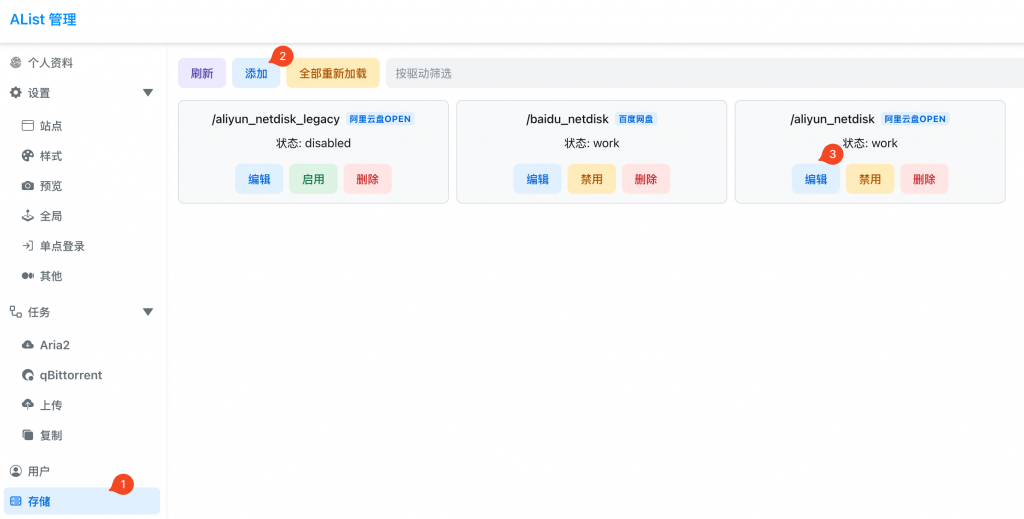
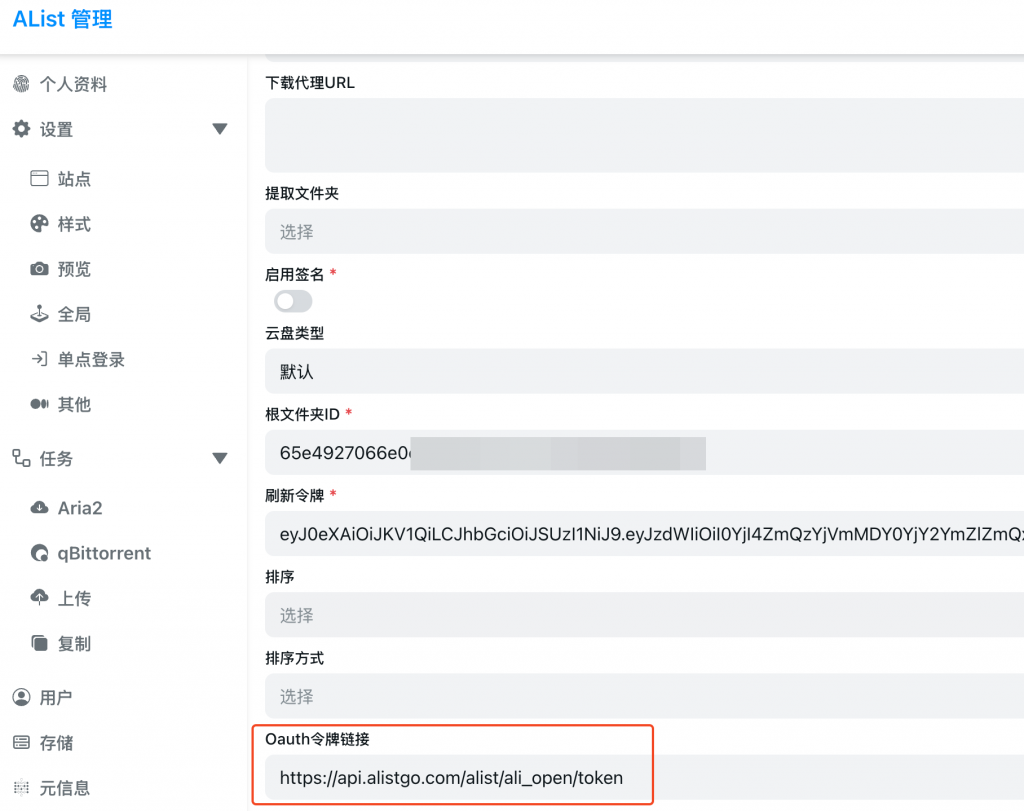
1.更新Oauth Token链接
https://api.alistgo.com/alist/ali_open/token
2. 找到你想挂载的根文件夹ID, 比如, 当然我们可以直接填入”root”代表根目录
- https://www.alipan.com/drive/file/all/65e4927066e0cd78d3534717xxxxxxx
3. 获取refresh token, 打开这个链接,登录之后得到refresh token
4.最终我们会得到webdav链接
- http://192.168.1.5:3010/dav
更新docker image
docker pull xhofe/alist:latest百度网盘
参考
- https://alistgo.com/guide/drivers/baidu.html
alist挂载阿里云盘